
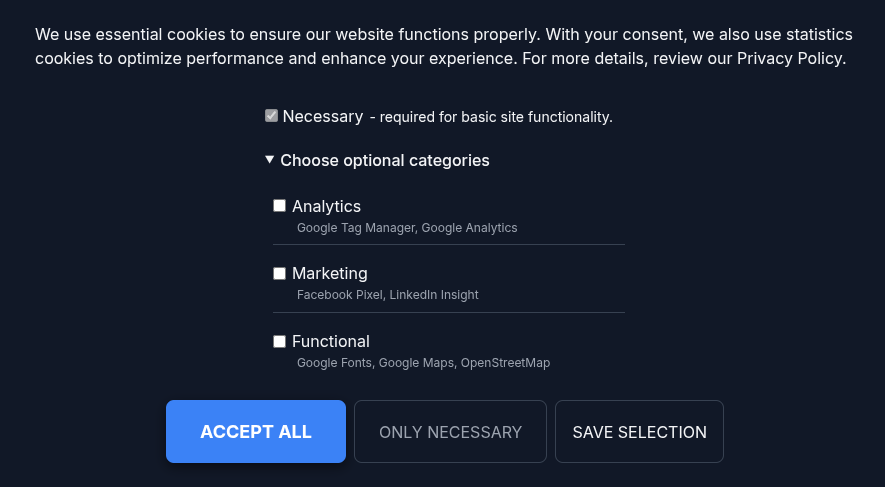
GDPR Article 7(1) puts the burden on you. If a visitor's consent is ever questioned, you have to demonstrate that it was given. A banner on the screen proves nothing after the fact.
NexusConsent writes a record every time someone makes a choice, and gives you a CSV export of the whole log. This guide covers what gets recorded, how to configure retention, how to export it, and what the log can and cannot prove.
What gets recorded
Every consent decision writes one row with these columns:
| Column | Contains |
|---|---|
id | Row number |
token | A random UUID from the visitor's cookie |
consent_json | The version and category choices |
user_agent | The browser string, truncated to 512 characters |
anonymized_ip | The visitor's IP with the last part masked |
created_at | When they first decided |
updated_at | When they last changed their mind |
A consent_json value looks like this:
{"version":1,"categories":{"necessary":true,"analytics":true,"marketing":false}}That row says: at this timestamp, a visitor accepted analytics, refused marketing, and did so against version 1 of your configuration.
No name, no email, no account. The token is random and generated in the visitor's browser, so the log shows that a decision happened without identifying who made it. That's deliberate. An audit trail that creates a new pile of personal data is a poor trade.
Step 1: Set how long you keep records
Open System › Plugins › System - NexusConsent and go to the Basic tab.
DB retention (days) controls how long entries survive. The
default is 365. Set 0 to keep everything forever.
Match this to the retention period in your own privacy policy. A year is a common choice and comfortably covers most disputes, since consent typically gets refreshed well before then.
The purge runs when a consent record is saved, deleting rows whose
updated_at is older than your window. It's not a scheduled
task, so on a quiet site old rows may linger a little past the cutoff until
the next visitor decides. That's worth knowing if you're checking the table
by hand.
Step 2: Leave the save limits alone unless you have a reason
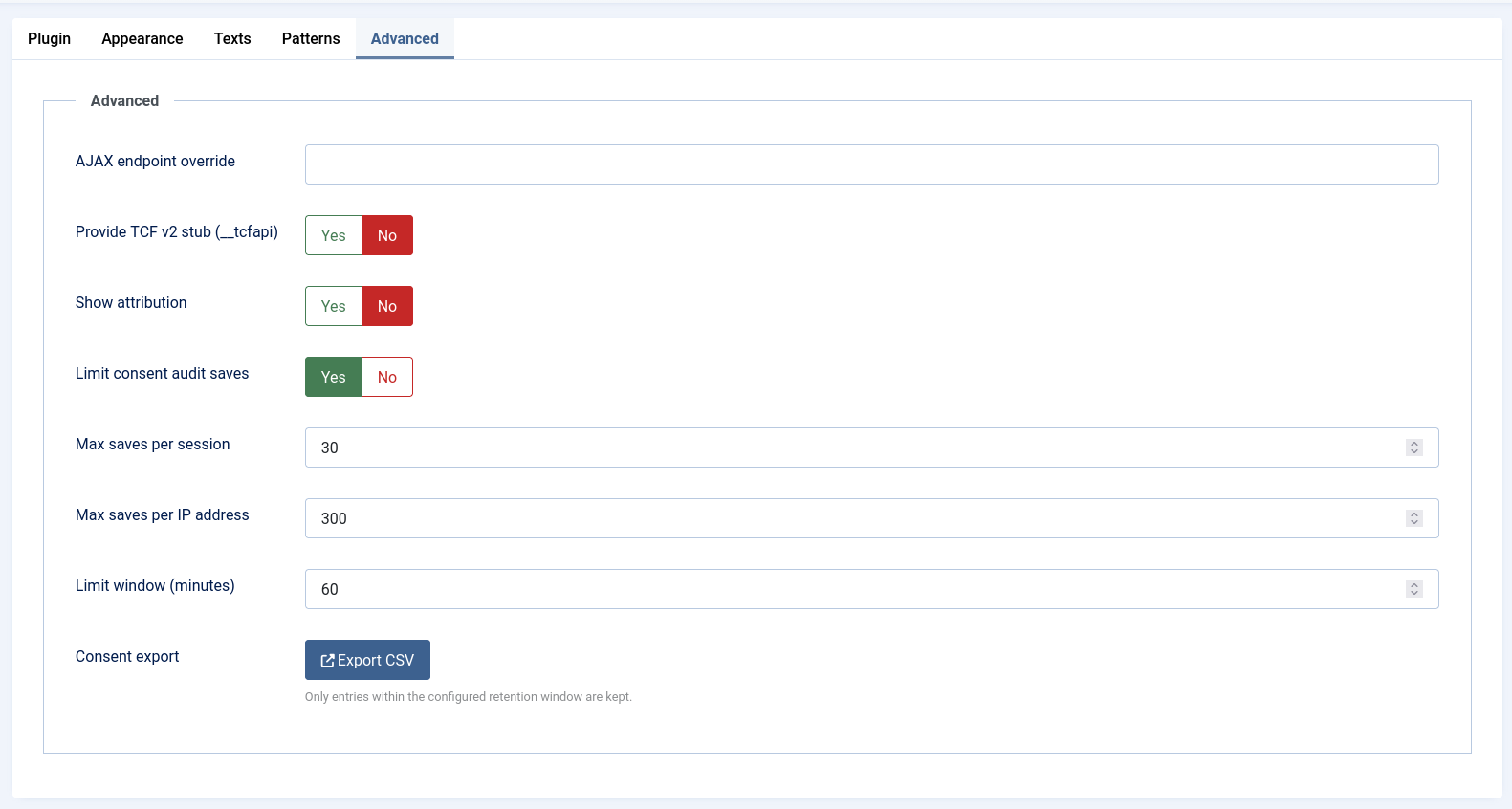
On the Advanced tab you'll find Limit consent audit saves, on by default, with three settings under it: Max saves per session (30), Max saves per IP address (300), and Limit window (minutes) (60).
These stop someone flooding your audit table. Normal visitors save once or twice, so the defaults are generous.
One thing to understand: if a save is throttled, the visitor's choice is still applied. Consent lives in their browser first, so throttling affects only whether that write reaches your audit table. The banner and their actual preferences are unaffected.
If your site sits behind a reverse proxy or CDN, turn on Global Configuration › Server › Behind Load Balancer. Without it every visitor appears to come from the proxy, so they all share one rate-limit bucket and your log records the proxy address instead of the visitor. Only enable it when a trusted proxy actually sets those headers, because on a directly exposed site it lets clients spoof their address.
Step 3: Export the log
Still on the Advanced tab, at the bottom, is
Consent export with an Export CSV button.
Click it and the log downloads as
nexusconsents-export.csv.
The button is visible only to Super Users, and the endpoint checks permission again when the request arrives. A non-admin who guesses the URL gets nothing.

Open the file in a spreadsheet and you have your evidence: one row per visitor, timestamped, with the exact categories they chose.
You may notice a leading tab character on some cells. That's intentional.
Any value starting with =, +, -, or
@ gets a tab in front so spreadsheet software treats it as text
rather than running it as a formula. It's a protection against a malicious
user agent string, not a corrupted file.

What the log proves, and what it does not
Be clear about this before you rely on it.
It shows that a decision was recorded, when it first happened, when it was last changed, which categories were granted, which configuration version was in force, and a masked IP plus browser string as supporting detail.
It does not tie a row to a named person. The token comes from a cookie. If someone clears their cookies, their next visit creates a new token and a new row, so one person can appear several times.
It holds the current state, not a full history. Each token
has exactly one row, updated in place. If a visitor accepts analytics today
and revokes it next week, you have a row showing the revocation with an
earlier created_at. You don't get both decisions as separate
entries.
For most disputes this is enough, because the question is usually whether
consent existed for a given category at a given time. If your situation
demands a full immutable history of every change, hook the
onNexusConsentGiven event and write your own log.
Variations
Keep records indefinitely. Set DB retention
(days) to 0. Nothing is purged. Remember that you're
then holding masked IPs and user agent strings forever, which your privacy
policy should reflect.
Send consent events elsewhere. The plugin fires
onNexusConsentGiven after each successful save, with the token,
version, and categories. A small system plugin listening for it can push
records to an external log or data warehouse. It fires only when the audit
row was actually written, so it won't report a throttled save.
Ask everyone again. When you add a tracker or change what a category covers, increase Config version on the Basic tab. New decisions are recorded against the new version, so your log distinguishes people who agreed to the old setup from those who agreed to the current one.
Troubleshooting
- The export is empty.
- Nobody has consented yet, or the retention window purged everything. Accept the banner in a private window and export again.
- I cannot see the Export CSV button.
- It is Super Users only. Check your account's group, and confirm you're on the Advanced tab.
- Every row has the same IP address.
- You're behind a proxy or CDN without Behind Load Balancer enabled. See Step 2.
- The IP addresses look wrong.
-
They're masked on purpose. IPv4 loses its last octet, so
203.0.113.45is stored as203.0.113.0. IPv6 keeps only the first 64 bits. The full address is never written to the database. - I uninstalled the plugin and want the records gone.
-
The table is kept on purpose when you uninstall, because Article 7(1)
expects you to be able to produce this evidence. To remove it, run
DROP TABLE IF EXISTS #__nexus_consents;in your database client, replacing#__with your table prefix.
Full documentation: NexusConsent.